Introduction: The Growing Importance of Gaming Laptops
Gaming has changed dramatically over the past decade. Modern games require impressive graphics, fast processors, sufficient memory, and reliable storage, which has increased interest in powerful portable computers. A Gaming Laptop provides an attractive solution for people who want desktop-level capabilities without being tied to a permanent desk. Unlike conventional laptops designed mainly for browsing and office work, gaming-oriented computers are built around demanding workloads and extended performance.
A modern gaming laptop can be used for much more than playing games. Students can use one for assignments and creative projects, professionals can run demanding software, and content creators can edit videos or produce digital media. This versatility makes gaming laptops increasingly popular among different types of users.
However, choosing the right computer can be challenging because specifications vary significantly between models. A laptop with a powerful processor may have a weaker graphics processor, while another model might offer an excellent display but limited storage. Therefore, shoppers should evaluate the complete package instead of focusing on one specification.
The goal of this guide is to explain the most important factors involved in choosing a gaming computer, including performance, display, cooling, portability, storage, and value. It also examines the differences that buyers may encounter when comparing an Asus Gaming Laptop with an HP Gaming Laptop.
What Makes a Gaming Laptop Different?
A Gaming Laptop is different from an ordinary notebook because its hardware is designed to handle graphics-intensive applications and sustained workloads. One of the most important differences is the presence of a dedicated graphics processor. While integrated graphics can handle everyday tasks, a dedicated GPU generally provides substantially greater capability for modern games.
The processor is another important component. A capable CPU helps with game logic, background applications, multitasking, and other demanding processes. Adequate RAM is also essential because games and modern operating systems can consume significant memory. Storage matters as well, particularly because many contemporary games require large amounts of disk space.
Cooling is often overlooked by first-time buyers. Powerful components generate heat, particularly during long gaming sessions. Gaming laptops therefore tend to incorporate larger fans, heat pipes, vents, and other thermal solutions.
The keyboard and display are also designed with gaming in mind. Many models feature high-refresh-rate screens and keyboards with gaming-oriented features. Connectivity can be another advantage, with multiple USB ports, HDMI, audio connections, and networking options.
| Component | Main Purpose | Why Gamers Should Care |
|---|---|---|
| CPU | General processing | Affects overall responsiveness |
| GPU | Graphics processing | Critical for gaming visuals |
| RAM | Temporary data storage | Helps with multitasking |
| SSD | Permanent storage | Improves loading and startup times |
| Display | Visual output | Influences smoothness and image quality |
| Cooling | Heat management | Helps sustain performance |
How to Find the Best Gaming Laptop for Your Needs
The phrase Best Gaming Laptop can mean different things to different people. There is no universal model that is perfect for everyone. Instead, the ideal laptop depends on gaming preferences, budget, portability requirements, and the applications the buyer intends to run.
Someone who mainly plays competitive esports titles may prioritize a high-refresh-rate display and strong CPU performance. Another gamer who enjoys visually demanding open-world games may place greater emphasis on graphics performance and display resolution. A student might need a relatively portable model, whereas someone who rarely travels could prefer a larger laptop with stronger cooling.
Price-to-performance value is particularly important. Spending more does not automatically guarantee a better overall experience. A balanced laptop with a capable CPU, suitable GPU, sufficient RAM, and fast storage can often be more useful than a machine with one exceptionally powerful component and several weak ones.
Buyers should also consider future requirements. Games and applications generally become more demanding over time, so purchasing adequate hardware today can extend the useful life of the computer.
Before purchasing, create a priority list. Decide whether performance, display quality, portability, storage, battery life, or price matters most. This simple step can make the selection process significantly easier.
Read More: GOC Technology
Understanding Graphics Performance in Gaming Laptops
Graphics performance is arguably one of the most important aspects of a Gaming Laptop. The graphics processor, commonly known as the GPU, is responsible for rendering images, textures, lighting effects, and other visual elements in games.
A stronger GPU can generally provide better performance at higher resolutions and graphical settings. However, buyers should not assume that the newest or most expensive graphics processor is always necessary. The appropriate choice depends on the games being played and the desired visual settings.
Resolution also affects graphics requirements. Playing at a higher resolution requires the GPU to process more pixels. Similarly, advanced graphical effects can significantly increase the workload. This is why a laptop should be evaluated as a complete system.
The display and GPU should complement each other. A high-resolution, high-refresh-rate screen may not provide its full potential if the graphics hardware cannot consistently deliver appropriate frame rates.
It is also useful to consider graphics memory and the laptop’s thermal design. Mobile GPUs operate within the physical and power limitations of a laptop chassis, so two laptops using similarly named graphics hardware can sometimes deliver different practical results.
Ultimately, buyers should consider real-world gaming requirements rather than relying solely on a specification sheet.
Read More: Tech on Dicas
Asus Gaming Laptop: Combining Gaming Features and Design
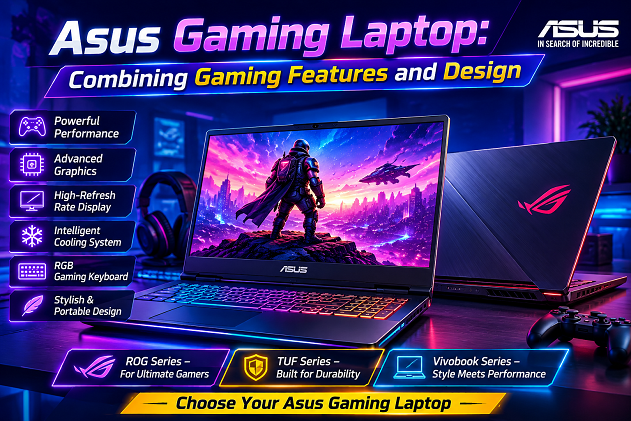
An Asus Gaming Laptop can be an appealing option for users who want a computer specifically designed around gaming. Asus has developed multiple gaming-oriented product families, with different models targeting different budgets, performance levels, and portability requirements.
Some Asus gaming machines emphasize strong performance and elaborate gaming aesthetics, while others offer a more restrained appearance that can work equally well in school, university, or professional environments. Features can vary substantially between individual models, so buyers should always examine the exact configuration.
Display technology is another area worth considering. Depending on the model, buyers may encounter different screen sizes, resolutions, refresh rates, and panel characteristics. Keyboard design can also vary, with gaming-oriented features appearing on selected machines.
An Asus laptop should therefore be evaluated based on its specific hardware rather than simply its brand name. Compare the CPU, GPU, RAM, SSD, display, cooling arrangement, weight, and connectivity.
For gamers who want a recognizable gaming design combined with modern hardware, an Asus Gaming Laptop Online can be an interesting candidate. The best option, however, is the model whose specifications match the user’s actual gaming habits and budget.
HP Gaming Laptop: Performance for Gaming and Everyday Work
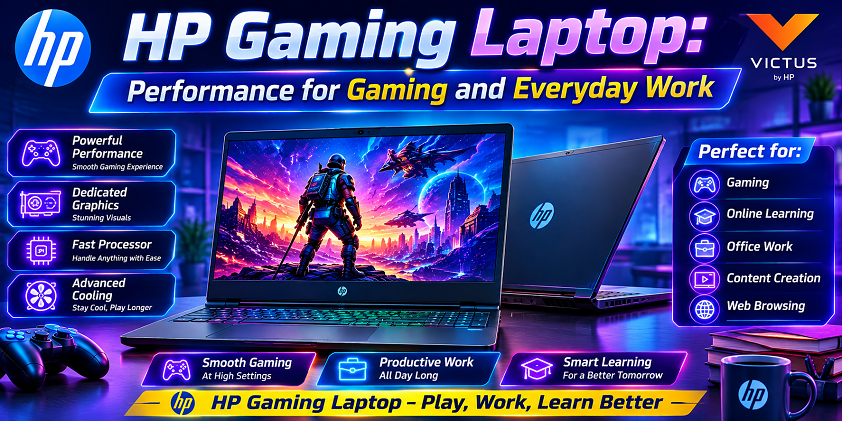
An HP Gaming Laptop can serve as both a gaming machine and a general-purpose computer. This flexibility is useful for people who want one device for entertainment, study, work, browsing, and creative applications.
HP’s gaming-oriented offerings can include different combinations of processors, dedicated graphics, memory, storage, and display technology. This means shoppers should compare individual configurations instead of judging an entire product category based on one model.
A major advantage of a versatile gaming laptop is that it does not have to remain dedicated to entertainment. After a gaming session, the same computer can be used for writing documents, attending online classes, editing media, programming, or browsing the internet.
Design is another consideration. Some users prefer a laptop that clearly looks like a gaming machine, while others want something more understated. Depending on the series and model, buyers can find different approaches to aesthetics and portability.
When considering an HP Gaming Laptop Shop, pay particular attention to its GPU, CPU, display, cooling, RAM, and storage. These specifications have a greater effect on practical performance than the manufacturer’s logo.
| Buying Factor | Why It Matters |
|---|---|
| GPU | Determines much of the gaming graphics performance |
| CPU | Supports gaming and general computing |
| RAM | Helps with multitasking |
| SSD | Provides faster storage |
| Screen | Affects visual experience |
| Cooling | Helps manage heat |
| Weight | Influences portability |
Display Quality: More Than Just Screen Size
The display is one of the first things users notice when using a Gaming Laptop, making it an important part of the buying decision. A screen is not defined solely by its size. Resolution, refresh rate, response characteristics, brightness, color reproduction, and panel technology can all influence the experience.
A higher refresh rate can make fast-moving scenes appear smoother, particularly in competitive games. Resolution affects image detail, with higher resolutions generally producing sharper visuals when the hardware can support them.
Screen size involves a compromise between immersion and portability. A larger screen can be excellent for gaming at home, but a smaller machine may be easier to carry to school, work, or travel.
Color quality may be especially important for users who also edit photographs or videos. Therefore, gamers who perform creative work should consider display characteristics beyond gaming specifications.
Buyers should also consider whether the laptop will be connected to an external monitor. If so, the built-in display may be less important than it would be for someone who plays exclusively on the laptop’s screen.
| Display Feature | Potential Benefit |
|---|---|
| High refresh rate | Smoother motion |
| Higher resolution | More detailed images |
| Large screen | More immersive experience |
| Strong brightness | Better visibility |
| Accurate colors | Useful for creative work |
| Fast response | Can improve responsiveness |
Cooling, Battery Life, and Long-Term Performance
Powerful hardware creates heat, and managing that heat is one of the major engineering challenges involved in designing a Gaming Laptop. A computer may deliver impressive performance initially, but sustained workloads can place significant demands on its cooling system.
Gaming laptops commonly use multiple fans, heat pipes, vents, and carefully designed internal layouts to move heat away from critical components. Good airflow can help the machine maintain consistent performance during extended sessions.
Users also need to understand the relationship between gaming and battery life. Demanding games can consume considerably more power than simple browsing or document editing. As a result, gaming laptops often perform best when connected to their power adapter during intensive gaming.
Battery performance may nevertheless be important for everyday activities. A laptop used for classes or work should ideally provide reasonable unplugged endurance for less demanding tasks.
Long-term reliability also depends on maintenance. Keeping vents clear, using the laptop on an appropriate hard surface, and maintaining a clean environment can help preserve effective airflow.
A laptop should therefore be judged not only by peak performance but also by how effectively it can maintain that performance during extended use.
Asus Gaming Laptop vs. HP Gaming Laptop: What Should You Compare?
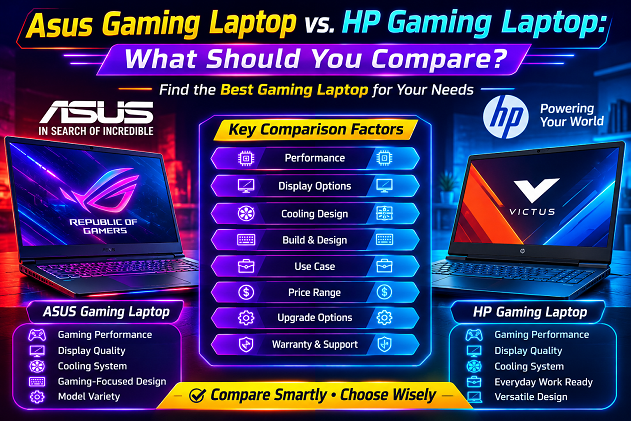
When comparing an Asus Gaming Laptop and an HP Gaming Laptop, it is better to compare specific models rather than entire brands. Both manufacturers offer computers with different hardware configurations, prices, designs, and target audiences.
Start with the GPU because gaming performance often depends heavily on graphics capability. Then compare the processor, RAM, storage, and display. Cooling should also receive attention because sustained gaming can expose differences that are not obvious from basic specifications.
Portability may be another deciding factor. If the computer will frequently travel between home, university, and work, weight and dimensions become important. If it will mostly remain on a desk, performance and screen size might receive greater priority.
Build quality, keyboard comfort, webcam quality, connectivity, warranty, and upgrade options can also influence the overall value.
| Comparison Area | What to Examine |
|---|---|
| GPU | Gaming graphics capability |
| CPU | Processing performance |
| RAM | Memory capacity and upgradeability |
| Storage | SSD capacity and expansion |
| Display | Resolution and refresh rate |
| Cooling | Fan and thermal design |
| Portability | Weight and dimensions |
| Connectivity | USB, video, networking, and audio |
| Value | Hardware relative to price |
The important lesson is simple: compare configurations, not logos. A particular Asus model may be better for one buyer, while a particular HP model may be more suitable for another.
Storage, RAM, Future-Proofing, and Final Buying Advice
A Best Gaming Laptop should not only perform well today; it should also remain useful as games and applications become more demanding. Storage and RAM therefore deserve careful consideration.
Modern games can occupy substantial amounts of storage, so an SSD with adequate capacity is highly desirable. Faster storage can also reduce operating-system and game loading times. Buyers who maintain large game libraries should consider whether additional storage can be installed later.
RAM is similarly important. Having sufficient memory allows games to operate alongside background applications more comfortably. People who stream gameplay, edit videos, or use demanding creative software may benefit from additional memory.
Future-proofing does not mean buying the most expensive computer available. Instead, it means choosing a balanced configuration with enough capability to remain practical for several years.
Whether you choose an Asus Gaming Laptop, an HP Gaming Laptop, or another manufacturer, research the exact model and configuration. Check the GPU, CPU, RAM, SSD, display, cooling, battery characteristics, weight, connectivity, and upgrade possibilities.
Final Gaming Laptop Checklist
| Priority | Question to Ask |
|---|---|
| Performance | Is the CPU/GPU powerful enough for my games? |
| Display | Does the screen suit my preferred gaming style? |
| Memory | Is there enough RAM for gaming and multitasking? |
| Storage | Is the SSD large enough for my game library? |
| Cooling | Can the laptop handle long gaming sessions? |
| Portability | Is it comfortable to carry? |
| Connectivity | Does it have the ports I need? |
| Longevity | Can important components be upgraded? |
| Budget | Does the overall configuration justify the price? |
Conclusion
Choosing a Gaming Laptop requires more than looking for the biggest numbers on a specification sheet. The right machine should provide a balanced combination of processing power, graphics performance, display quality, cooling, storage, memory, portability, and value.
The Best Gaming Laptop is ultimately the one that fits the user’s individual needs. An Asus Gaming Laptop may be attractive to someone who values gaming-oriented designs and a broad range of configurations, while an HP Gaming Laptop may suit someone looking for a versatile machine that can transition between gaming, work, education, and entertainment.
Careful comparison is the key. Instead of choosing solely according to brand or appearance, examine the complete hardware configuration and consider how you will actually use the computer. With the right research, buyers can find a gaming laptop that delivers enjoyable performance today while remaining useful for years to come.